
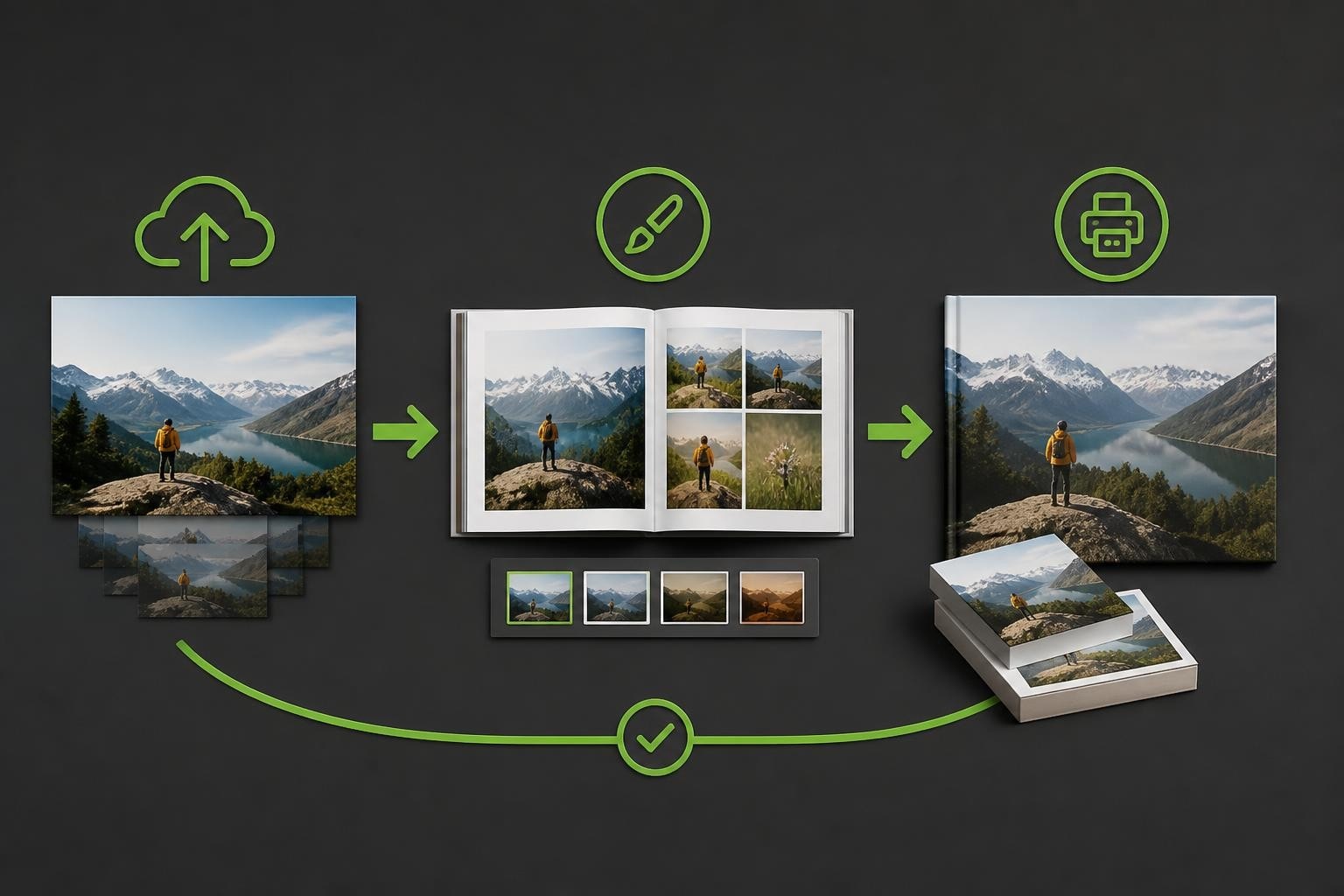
The digital photography revolution has transformed how we capture, store, and share memories. Yet despite the convenience of smartphones and cloud storage, physical prints remain deeply valued. Photo printing software bridges the gap between digital files and tangible products, enabling businesses to deliver personalised photobooks, calendars, cards, and gifts with professional quality and efficiency. As consumer demand for customised print products continues growing in 2026, selecting the right software infrastructure becomes critical for businesses seeking competitive advantage.
Understanding Photo Printing Software Architecture
Modern photo printing software encompasses far more than simple print drivers. These platforms integrate image processing, layout design, order management, and production workflows into cohesive systems that serve both end users and printing businesses.
Core Functionality Components
Image Management
The foundation of any photo printing solution lies in how it handles digital files. Software must accommodate diverse file formats, resolutions, and colour spaces whilst maintaining image integrity throughout the production pipeline. Advanced systems automatically detect quality issues, suggest enhancements, and ensure files meet minimum print requirements.
Design and Customisation Tools
Consumer-facing design interfaces represent the visible element of photo printing software. These tools enable customers to arrange photos, add text, apply filters, and personalise layouts. The sophistication of these features directly impacts conversion rates and customer satisfaction.

Production Integration
Behind the scenes, photo printing software must communicate seamlessly with manufacturing equipment. Order data, colour profiles, cutting specifications, and production schedules flow through automated systems that minimise manual intervention and reduce error rates.
Platform Deployment Models
| Deployment Type | Primary Advantages | Ideal Use Cases |
|---|---|---|
| Desktop Applications | Offline functionality, advanced features | Professional photographers, design studios |
| Web-Based Solutions | Accessibility, automatic updates, lower barriers | Consumer-facing businesses, retail operations |
| Mobile Applications | Convenience, location independence | On-the-go editing, social sharing integration |
| Hybrid Systems | Flexibility, comprehensive toolsets | Enterprise operations, multi-channel businesses |
The choice between deployment models depends on target audiences, technical requirements, and business objectives. Many successful operations implement multiple platforms to serve different customer segments effectively.
Essential Features for Business Success
Selecting photo printing software requires evaluating capabilities across multiple dimensions. Businesses must balance user experience, technical performance, and operational efficiency.
User Experience Priorities
Modern consumers expect intuitive interfaces that rival leading consumer applications. Software that frustrates users or imposes steep learning curves leads to abandoned orders and negative reviews. The online designer capabilities that enable drag-and-drop simplicity whilst offering sophisticated customisation options prove most successful.
Key user experience elements include:
- Responsive design that adapts seamlessly across devices and screen sizes
- Template libraries offering professional starting points for various product types
- Real-time previews showing accurate representations of final printed products
- Intelligent automation suggesting layouts, cropping photos, and detecting quality issues
- Progress saving allowing customers to complete projects across multiple sessions
Technical Performance Standards
Processing high-resolution images demands robust technical architecture. Software must handle large file uploads, complex rendering operations, and simultaneous user sessions without performance degradation.
- Colour Management: Accurate colour reproduction requires sophisticated profiling systems that account for display calibration, paper characteristics, and ink properties
- Resolution Handling: Automatic upscaling, interpolation, and quality warnings ensure prints meet professional standards
- Format Compatibility: Support for RAW files, TIFF, PNG, JPEG, and emerging formats future-proofs operations
- Processing Speed: Optimised algorithms reduce waiting times during editing and order submission
Integration and Workflow Optimisation
Photo printing software rarely operates in isolation. Integration capabilities determine how effectively solutions fit within broader business ecosystems.
E-Commerce Platform Connections
For businesses selling print products online, seamless integration with e-commerce platforms streamlines operations. Order data should flow automatically from design tools through checkout systems to production queues without manual data entry.
The software solutions that provide flexible API connections enable businesses to maintain existing storefront technologies whilst upgrading backend production capabilities. This approach preserves customer-facing brand consistency whilst modernising operational efficiency.
Production Management Systems
Professional print operations require sophisticated production management. Software must generate work orders, track job progress, manage inventory, and coordinate shipping logistics.
Automation Benefits:
- Reduced manual order processing time
- Decreased error rates in production specifications
- Improved capacity planning and resource allocation
- Enhanced quality control through standardised workflows
Print Manufacturing Networks
Modern photo printing businesses increasingly leverage distributed manufacturing models. Software that supports global print manufacturing and shipping enables businesses to serve international markets whilst maintaining fast delivery times and competitive shipping costs.

This approach requires sophisticated order routing logic that considers production capacity, shipping costs, delivery timelines, and quality standards when assigning jobs to manufacturing partners.
Product Range Considerations
Versatile photo printing software supports diverse product types, each with unique technical requirements and design constraints.
Photobooks and Albums
Photobooks represent complex products requiring specialised functionality. Software must manage:
- Multi-page layouts with consistent design themes
- Binding considerations affecting page margins and image placement
- Cover design options including hardback, softback, and layflat varieties
- Background selection, border styles, and decorative elements
Creating photo albums through website interfaces demands particularly intuitive tools that guide customers through multi-step projects without overwhelming them.
Calendars and Planners
Calendar creation introduces date-specific functionality. Software automatically generates calendar grids, manages holiday designations, and ensures accurate date placement across years and locales.
Cards and Stationery
Greeting cards, invitations, and stationery products benefit from:
- Template variety covering occasions, styles, and formats
- Text handling with typography options and font management
- Envelope design coordination for matching aesthetics
- Quantity management for multi-card orders with personalisation
Personalised Gifts
Expanding into gifts like photo boxes and other photobook gifts requires software adaptable to non-standard product dimensions and surface characteristics.
Quality Control and Colour Management
Professional photo printing demands exceptional colour accuracy and print quality. Software plays crucial roles in maintaining standards.
Colour Profile Management
Different papers, inks, and printing technologies produce varying colour characteristics. Photo printing software must incorporate ICC colour profiles that accurately translate on-screen colours to printed output.
Advanced systems include:
- Soft proofing showing accurate screen representations of final prints
- Gamut warnings highlighting colours outside printable ranges
- Profile embedding ensuring colour consistency throughout workflows
- Monitor calibration guidance helping users achieve accurate previews
For professional workflows, Canon’s Professional Print & Layout software demonstrates the sophistication possible when integrating colour management deeply into printing processes.
Image Quality Analysis
Automated quality checking prevents common printing disasters. Software should flag:
- Low resolution images that will appear pixelated when printed
- Excessive compression artefacts affecting print quality
- Incorrect colour spaces causing unexpected colour shifts
- Clipped highlights or crushed shadows losing detail
Customisation and White-Label Capabilities
Businesses seeking competitive differentiation require photo printing software that adapts to unique brand identities and operational requirements.
Interface Customisation
The most flexible platforms allow complete interface customisation including:
- Brand colours, logos, and typography throughout user journeys
- Custom terminology reflecting brand voice and positioning
- Tailored product offerings matching specific market niches
- Localised content supporting multiple languages and regions
Workflow Configuration
Different businesses operate with varying production models. Adaptable software accommodates diverse workflows through configurable:
| Workflow Element | Customisation Options |
|---|---|
| Order Processing | Manual approval, automatic routing, batch processing |
| Quality Control | Inspection checkpoints, automated validation, sampling strategies |
| Production Scheduling | Priority rules, capacity constraints, delivery commitments |
| Pricing Logic | Quantity discounts, seasonal promotions, customer segments |
Mobile and Social Integration
Photography increasingly originates on smartphones, making mobile-friendly photo printing software essential for capturing market opportunities.
Mobile Application Features
Dedicated mobile apps extend functionality beyond responsive web design:
- Camera integration allowing direct photo capture within design workflows
- Local storage access retrieving images from device galleries
- Social media connections importing photos from Instagram, Facebook, and other platforms
- Push notifications updating customers on order status and promotional opportunities
Social Sharing Capabilities
Enabling customers to share their creations amplifies marketing reach. Software should facilitate:
- Sharing preview images to social platforms
- Referral programmes encouraging friend recommendations
- User galleries showcasing customer projects
- Review collection integrated with design experiences

Desktop Applications for Professional Users
Whilst web-based solutions dominate consumer markets, professional photographers and designers often prefer desktop applications offering advanced capabilities.
Professional Feature Sets
Desktop designer applications typically include:
- Advanced layer management for complex compositions
- Precision alignment tools with numerical positioning
- Batch processing capabilities for repetitive tasks
- Export options supporting various file formats and specifications
Offline Functionality
Desktop software enables work without internet connectivity, crucial for location photographers and users with unreliable internet access. Projects sync when connectivity resumes, ensuring seamless workflows.
Pricing Models and Business Considerations
Photo printing software vendors employ various pricing structures reflecting different business models and value propositions.
Licensing Approaches
- Subscription models with monthly or annual fees providing predictable costs
- Transaction-based pricing charging per order processed through systems
- Tiered plans offering feature sets matched to business sizes
- Enterprise agreements with custom pricing for high-volume operations
Total Cost Analysis
Beyond software licensing, businesses should evaluate:
Implementation Costs
- Integration development connecting software to existing systems
- Staff training ensuring effective platform utilisation
- Data migration transferring existing customer information
Operational Expenses
- Hosting and infrastructure for cloud-based solutions
- Ongoing support and maintenance arrangements
- Update and upgrade costs maintaining current functionality
Hidden Considerations
- Transaction fees on payment processing
- Storage costs for customer files and order histories
- Bandwidth charges for high-resolution image handling
Selecting the Right Solution
Choosing photo printing software requires methodical evaluation aligned with specific business objectives and constraints.
Requirements Analysis
Begin by documenting:
- Current product offerings and planned expansions
- Expected order volumes and growth trajectories
- Technical infrastructure and integration needs
- Budget parameters including initial and ongoing costs
- User experience priorities and brand positioning
Evaluation Criteria
| Assessment Factor | Key Questions |
|---|---|
| Technical Capabilities | Does it handle our file formats, product types, and volumes? |
| User Experience | Will our customers find it intuitive and enjoyable? |
| Integration | Can it connect with our existing e-commerce and production systems? |
| Scalability | Will it accommodate future growth without limitations? |
| Support | What assistance is available during implementation and operation? |
Trial and Testing
Most reputable vendors offer demonstration environments or trial periods. Use these opportunities to:
- Test actual workflows with representative products
- Evaluate performance under realistic conditions
- Gather feedback from potential end users
- Assess vendor responsiveness and support quality
Requesting detailed proposals through channels like Taopix’s quote system enables comparison of specific capabilities and costs.
Implementation Best Practices
Successful photo printing software deployment requires careful planning and execution beyond simply installing applications.
Phased Rollout Strategy
Rather than launching all features simultaneously, consider:
Phase 1: Core Products
Launch with limited product range ensuring flawless execution before expansion
Phase 2: Feature Enhancement
Gradually introduce advanced customisation options based on user feedback
Phase 3: Integration Deepening
Connect additional systems improving operational efficiency
Phase 4: Market Expansion
Extend to new customer segments or geographic markets
User Training and Documentation
Invest in comprehensive training covering:
- Customer-facing design tools and features
- Administrative functions for order management
- Production workflows and quality control
- Troubleshooting common issues
Creating video tutorials, knowledge bases, and quick reference guides reduces support burdens whilst improving user satisfaction.
Performance Monitoring
Establish metrics tracking software effectiveness:
- Conversion rates from design initiation to completed orders
- Average order values indicating upsell success
- Error rates measuring quality issues and production problems
- Customer satisfaction scores reflecting user experience
- Processing times showing operational efficiency
Regular analysis identifies optimisation opportunities and justifies continued investment in platform development.
Future Trends Shaping Photo Printing Software
Technology continues evolving, introducing new capabilities that progressive businesses leverage for competitive advantage.
Artificial Intelligence Integration
AI transforms photo printing software through:
- Automated design suggestions creating compelling layouts from uploaded photos
- Intelligent cropping identifying focal points and optimal compositions
- Quality enhancement upscaling resolution and correcting common defects
- Personalisation engines recommending products based on photo characteristics
Augmented Reality Previews
AR technology enables customers to visualise products in physical spaces before ordering. Holding smartphones towards walls previews framed prints at actual size. Seeing photobooks on coffee tables confirms sizing decisions.
Sustainability Features
Environmental consciousness influences purchasing decisions. Software incorporating sustainability metrics, carbon footprint calculations, and eco-friendly product options appeals to values-driven consumers.
Enhanced Collaboration Tools
Multi-user projects enabling friends and families to contribute photos collaboratively expand addressable markets. Wedding albums, family yearbooks, and group event documentation benefit from shared creation experiences.
Selecting appropriate photo printing software fundamentally shapes operational efficiency, customer satisfaction, and competitive positioning in the personalised print market. Businesses must evaluate technical capabilities, user experience, integration requirements, and total ownership costs when making these critical infrastructure decisions. Taopix delivers flexible, fully customisable software solutions purpose-built for photobook and personalised print product businesses, offering the scalability and features needed to succeed in 2026's competitive landscape.