
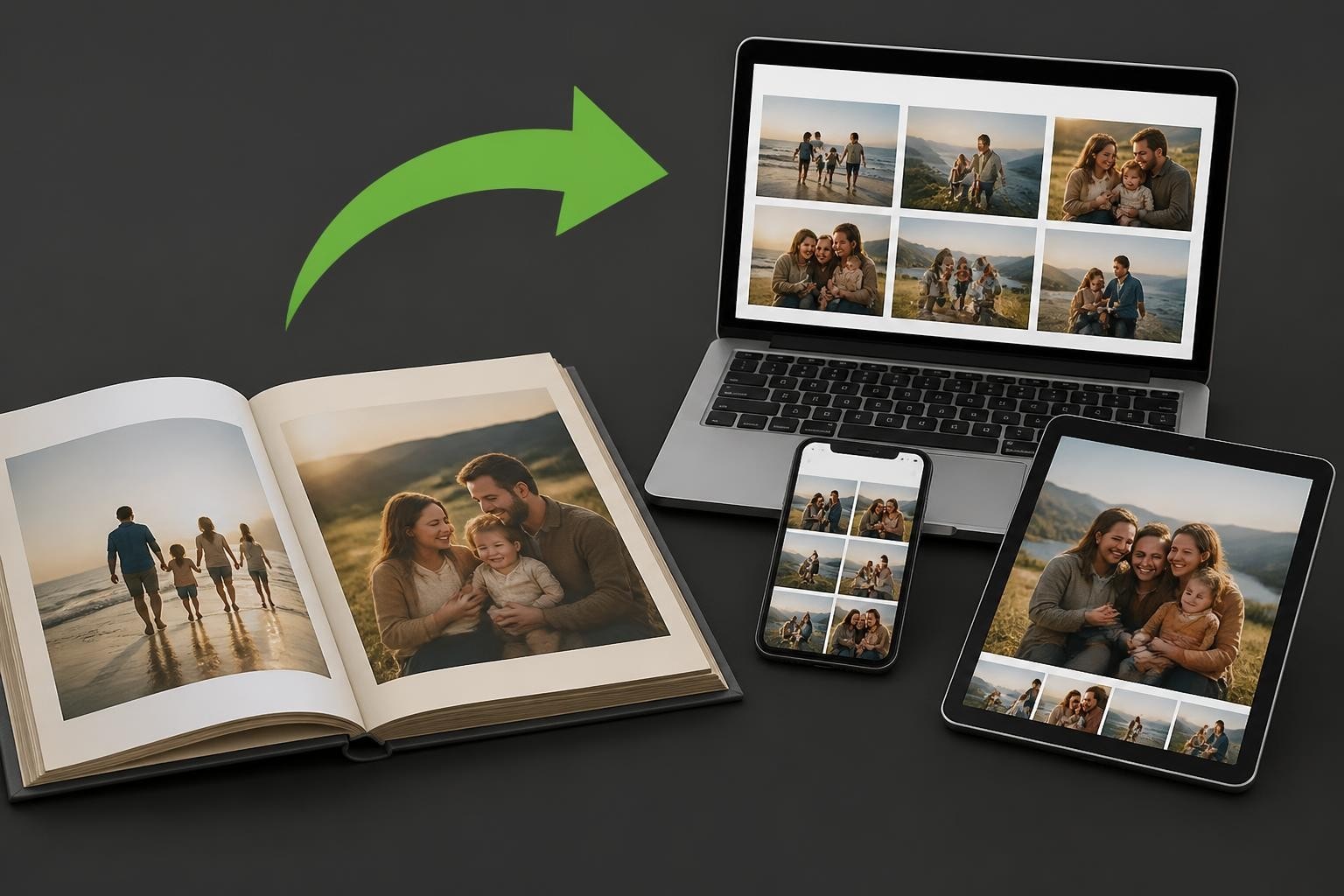
The ability to make photo albums online has revolutionised how we preserve and share our most treasured memories. What once required physical prints, adhesive, and considerable time can now be accomplished through sophisticated software platforms that offer unprecedented customisation and convenience. Whether you're a business looking to offer personalised products or an individual seeking to create meaningful keepsakes, understanding the landscape of online photo album creation is essential for success in 2026.
Understanding Online Photo Album Creation
Creating digital photo albums has evolved from simple drag-and-drop interfaces to comprehensive design platforms that rival professional desktop software. The modern approach to make photo albums online combines intuitive user experiences with powerful editing capabilities, enabling users to craft personalised products without extensive design knowledge.
The Technology Behind Modern Photo Albums
Today's photo album platforms leverage cloud-based infrastructure to provide seamless experiences across devices. Users can begin designing on their desktop, continue on a tablet, and finalise on their smartphone without losing progress. This flexibility stems from sophisticated backend systems that synchronise data in real-time.
Key technological components include:
- Real-time collaborative editing systems
- Intelligent image optimisation algorithms
- Automated layout suggestion engines
- Cross-platform compatibility frameworks
- Secure cloud storage integration
The online designer tools available today demonstrate how far the industry has progressed, offering features that were previously exclusive to professional graphic design software.

Choosing the Right Platform to Make Photo Albums Online
Selecting an appropriate platform depends on your specific requirements, whether you're a business offering photo products or an individual creating personal albums. The market offers numerous solutions, each with distinct advantages.
Business Requirements vs Personal Needs
Businesses require robust platforms that can handle high volumes whilst maintaining quality and customisation options. The software must integrate seamlessly with existing workflows and provide flexibility for branding.
| Feature Category | Business Priority | Individual Priority |
|---|---|---|
| Customisation Depth | High – brand consistency | Medium – personal style |
| Volume Handling | Critical – scalability | Low – occasional use |
| Integration Capabilities | Essential – workflow fit | Optional – convenience |
| Price Structure | Per-licence or API | Per-product purchase |
| Support Requirements | Comprehensive technical | Basic user guidance |
For businesses seeking to enter the personalised products market, Taopix software provides the enterprise-grade capabilities necessary for commercial operations whilst maintaining user-friendly creation tools.
Essential Platform Features
When evaluating platforms to make photo albums online, certain features distinguish professional solutions from basic offerings. Storage capacity affects how many photos you can work with simultaneously, whilst editing tools determine the level of customisation achievable.
Critical features to assess:
- Upload capabilities – batch upload, cloud integration, mobile import
- Design flexibility – template variety, custom layouts, text options
- Image enhancement – automatic corrections, filters, cropping tools
- Preview functionality – realistic rendering, page-by-page review
- Export options – print-ready files, digital sharing, format variety
Understanding cloud storage options for photos helps ensure your images remain accessible and secure throughout the creation process.
Design Principles for Professional Photo Albums
Creating compelling photo albums requires more than simply uploading images. Understanding design fundamentals ensures your final product resonates emotionally whilst maintaining visual coherence.
Layout and Composition Strategies
Effective photo album layouts guide the viewer's eye through your story naturally. Professional designers employ several techniques to achieve visual balance and narrative flow.
White space utilisation prevents overcrowding and allows individual images to breathe. Rather than filling every millimetre, strategic gaps create sophistication and focus attention on key photographs.
Image hierarchy establishes importance through size variation. Feature photographs should dominate their spreads, whilst supporting images provide context without competing for attention.
Colour coordination across spreads maintains visual continuity. Consider the dominant colours in your photographs when selecting backgrounds, borders, and embellishments to create harmonious compositions.
Typography and Text Integration
Text elements transform photo collections into coherent narratives. Captions, dates, and descriptive passages add context that enhances emotional impact.
When you make photo albums online, typography choices significantly affect readability and aesthetic appeal. Serif fonts convey traditional elegance, whilst sans-serif options offer contemporary clarity. Limit font families to two or three maximum to maintain professional consistency.
| Text Element | Recommended Size | Best Practice |
|---|---|---|
| Album titles | 24-36pt | Bold, impactful placement |
| Chapter headings | 18-24pt | Consistent positioning |
| Photo captions | 10-14pt | Subtle, non-intrusive |
| Body text | 11-13pt | Comfortable reading length |

Optimising Images for Print and Digital Viewing
Image quality determines whether your finished album meets professional standards or appears amateurish. Understanding resolution requirements and file preparation ensures optimal results.
Resolution and File Format Considerations
Digital images contain a finite number of pixels. When printed, these pixels must be sufficiently dense to avoid visible graininess. The industry standard for high-quality printing is 300 dots per inch (DPI).
Resolution guidelines:
- Minimum acceptable: 200 DPI at final print size
- Professional standard: 300 DPI at final print size
- Premium quality: 400+ DPI for critical images
- Digital viewing: 72-150 DPI sufficient for screens
JPEG remains the most widely supported format, offering excellent compression with acceptable quality loss. For images containing text or requiring maximum fidelity, consider TIFF or PNG formats, though these create larger file sizes.
Image Enhancement Techniques
Modern platforms that allow you to make photo albums online typically include editing tools. However, understanding basic enhancement principles helps you maximise image potential.
Brightness and contrast adjustments rescue underexposed or flat images. Subtle increases often reveal detail lost in shadows whilst preventing blown-out highlights.
Colour correction addresses unwanted colour casts from artificial lighting or camera settings. Warming or cooling adjustments can dramatically improve image appeal.
Sharpening adds perceived detail but requires restraint. Over-sharpening creates unnatural halos around edges and emphasises digital noise.
Cropping improves composition by removing distracting elements and emphasising subjects. The rule of thirds remains a reliable guide for balanced compositions.
Business Applications and Commercial Opportunities
The ability to make photo albums online has created substantial commercial opportunities for businesses across multiple sectors. Understanding these applications helps identify revenue streams and market positioning.
Revenue Models for Photo Album Services
Businesses can monetise photo album creation through various approaches, each with distinct advantages and operational requirements.
- Direct sales model – customers purchase finished albums
- Subscription services – recurring revenue for unlimited creation
- White-label solutions – rebrand platforms for specific markets
- B2B partnerships – provide services to photographers and event planners
- Freemium approach – basic free service with premium upgrades
The global print manufacturing capabilities available through modern platforms enable businesses to serve international markets without maintaining physical inventory across multiple locations.
Market Segments and Target Audiences
Different customer segments value distinct features when they make photo albums online. Tailoring your offering to specific audiences improves conversion rates and customer satisfaction.
| Segment | Primary Motivation | Key Features Valued |
|---|---|---|
| Wedding market | Preservation of special day | Premium materials, elegant templates |
| Travel enthusiasts | Document adventures | Map integration, chronological layouts |
| Family historians | Legacy preservation | Archival quality, multi-generational design |
| Professional photographers | Client deliverables | Brand customisation, bulk pricing |
| Corporate clients | Marketing materials | Company branding, consistent layouts |
Understanding your target market enables strategic feature development and marketing messaging that resonates with specific customer needs.
Personalisation and Customisation Options
The depth of personalisation available distinguishes basic photo album services from premium offerings. Modern platforms enable unprecedented customisation whilst maintaining usability.
Template Flexibility vs Custom Design
Templates provide structure for users lacking design experience, accelerating the creation process. However, excessive template restrictions limit creative expression and differentiation.
Template benefits include:
- Reduced decision paralysis for new users
- Guaranteed professional layouts
- Faster completion times
- Consistent brand aesthetics
Custom design advantages:
- Unique personalisation reflecting individual style
- Perfect alignment with specific themes
- Accommodation of unusual image dimensions
- Complete creative control
The most successful platforms balance these approaches, offering templates as starting points that users can modify extensively. This hybrid model serves both novice users seeking guidance and experienced designers wanting flexibility.
Advanced Customisation Features
When businesses make photo albums online for clients, advanced features enable differentiation in competitive markets. These capabilities transform basic photo collections into premium keepsakes.
Embellishment options include decorative frames, themed clipart, and custom illustrations that enhance storytelling. These elements should complement rather than overwhelm photographic content.
Background customisation extends beyond solid colours to include patterns, textures, and even faded photographic backgrounds that create depth without distraction.
Interactive elements in digital albums might include embedded video clips, audio captions, or hyperlinked references, expanding beyond static imagery to create multimedia experiences.
The desktop designer applications offer expanded capabilities for users requiring maximum control over every design element.

Workflow Optimisation for Efficiency
Creating photo albums efficiently requires structured workflows that balance quality with productivity. Whether producing single albums or managing commercial volumes, systematic approaches prevent bottlenecks.
Organising Photos Before Design
Attempting to make photo albums online without preliminary organisation creates frustration and wasted time. Strategic preparation streamlines the design phase significantly.
Chronological sorting works naturally for event-based albums, establishing narrative flow automatically. Group photos by date, then subdivide by location or activity for finer organisation.
Thematic categorisation suits lifestyle albums spanning multiple occasions. Create folders for family portraits, landscapes, candid moments, and detail shots to facilitate deliberate composition choices.
Quality curation involves ruthlessly eliminating duplicates, blurred images, and unflattering shots. Starting with only your best images prevents decision paralysis during layout creation.
Batch Processing and Automation
Commercial operations require efficiency beyond what manual processes provide. Automation capabilities accelerate production whilst maintaining consistency.
Automated image enhancement applies standard corrections across entire albums, establishing baseline quality before manual refinements. These systems analyse each image individually, adjusting exposure and colour appropriately.
Smart layout generation examines image characteristics and suggests optimal arrangements. Landscape photographs receive horizontal placements, whilst portraits fit vertical spaces, maximising visual impact.
Template application enables rapid album creation when working with similar projects. Wedding albums, for instance, often follow predictable structures that benefit from standardised approaches.
Quality Assurance and Finalisation
The transition from screen preview to physical product reveals issues invisible during digital creation. Rigorous quality assurance prevents disappointment and reprints.
Pre-Production Verification
Before committing to production, thorough review identifies potential problems whilst corrections remain simple and cost-free.
Resolution verification ensures every image meets minimum standards for your chosen album size. Images appearing acceptable on screen may print poorly if pixel density proves insufficient.
Colour profile consistency prevents unexpected colour shifts between display and print. Understanding the difference between RGB (screen) and CMYK (print) colour spaces helps set accurate expectations.
Text readability checks confirm captions and headings remain legible at actual size. What appears clear on large monitors may become illegible when reduced to album dimensions.
Bleed and margin awareness prevents critical content from being trimmed during production. Maintain safety margins of at least 3-5mm from page edges for all important elements.
Proofing Options and Revisions
Professional services that allow you to make photo albums online typically offer multiple proofing methods before final production.
| Proofing Method | Advantages | Limitations |
|---|---|---|
| Digital PDF proof | Immediate, free, detailed review | Colour accuracy varies by display |
| Physical proof copy | Exact colour and material preview | Additional cost and time required |
| Page-by-page preview | Interactive refinement capability | Screen limitations persist |
| Professional review service | Expert feedback on design | Subjective opinions may not align |
Investing time in thorough proofing prevents costly mistakes and ensures satisfaction with finished products. The photo book gift considerations include quality assurance steps particularly important when creating presents for others.
Emerging Trends and Future Developments
The landscape of online photo album creation continues evolving as technology advances and consumer expectations shift. Understanding emerging trends positions businesses for future success.
Artificial Intelligence Integration
AI capabilities are transforming how users make photo albums online, automating previously manual tasks whilst suggesting creative enhancements.
Intelligent photo selection algorithms analyse entire libraries, identifying the best images based on technical quality, facial expressions, and composition strength. This capability dramatically reduces curation time.
Automated story creation examines photo metadata to construct chronological narratives, suggesting themes and chapter divisions based on location changes and time gaps.
Style transfer applications apply artistic filters that transform photographs into paintings, sketches, or other artistic interpretations, offering creative alternatives to standard photography.
Facial recognition technology enables automatic album organisation by person, facilitating projects focused on specific individuals across multiple events and timeframes.
Sustainable Production Practices
Environmental consciousness increasingly influences consumer purchasing decisions. Businesses offering photo albums must address sustainability concerns.
Eco-friendly materials including recycled papers, plant-based inks, and sustainable binding materials appeal to environmentally aware customers whilst maintaining quality standards.
Carbon-neutral shipping options and local production facilities reduce environmental impact. The print locally approach minimises transportation distances whilst ensuring faster delivery.
Digital-first alternatives reduce physical production through enhanced digital album experiences that preserve memories without material consumption, appealing to minimalist and environmentally conscious consumers.
Integration and Ecosystem Connectivity
Modern photo album platforms function within broader digital ecosystems, connecting with various services and devices to streamline workflows.
Social Media and Cloud Integration
The ability to make photo albums online directly from existing photo libraries eliminates tedious downloading and uploading cycles.
Social platform connectivity enables direct import from Instagram, Facebook, and similar services where users already store and organise photographs. This integration recognises that modern photo libraries exist across multiple platforms rather than single locations.
Cloud storage synchronisation with services such as Google Photos, iCloud, and OneDrive provides access to entire photo libraries without requiring local storage. This capability proves particularly valuable for users with extensive collections exceeding device capacity.
Automatic backup systems preserve work-in-progress albums, preventing data loss from device failures or accidental deletions. Cloud-based platforms inherently provide this protection through continuous synchronisation.
Multi-Device Workflows
Contemporary users expect seamless transitions between devices during album creation. Starting on a tablet during commute, continuing on a desktop at work, and finalising on a smartphone demonstrates the flexibility modern platforms must provide.
Responsive design interfaces adapt layouts and controls to each device's capabilities, ensuring consistent functionality regardless of screen size or input method. Touch-optimised controls on mobile devices differ from mouse-driven desktop interfaces whilst accessing identical features.
Progress synchronisation occurs automatically, eliminating manual save operations and ensuring the latest version remains accessible from any device. This capability transforms album creation from scheduled desk work to flexible activity fitting available time fragments.
Creating compelling photo albums online requires understanding both technical requirements and design principles that transform ordinary photo collections into meaningful keepsakes. Whether you're an individual preserving family memories or a business entering the personalised products market, the right platform and approach ensure professional results. Taopix provides comprehensive software solutions that enable businesses to offer fully customisable photo album creation experiences, combining powerful design tools with flexible workflows and global production capabilities to help you deliver exceptional personalised products to your customers.