
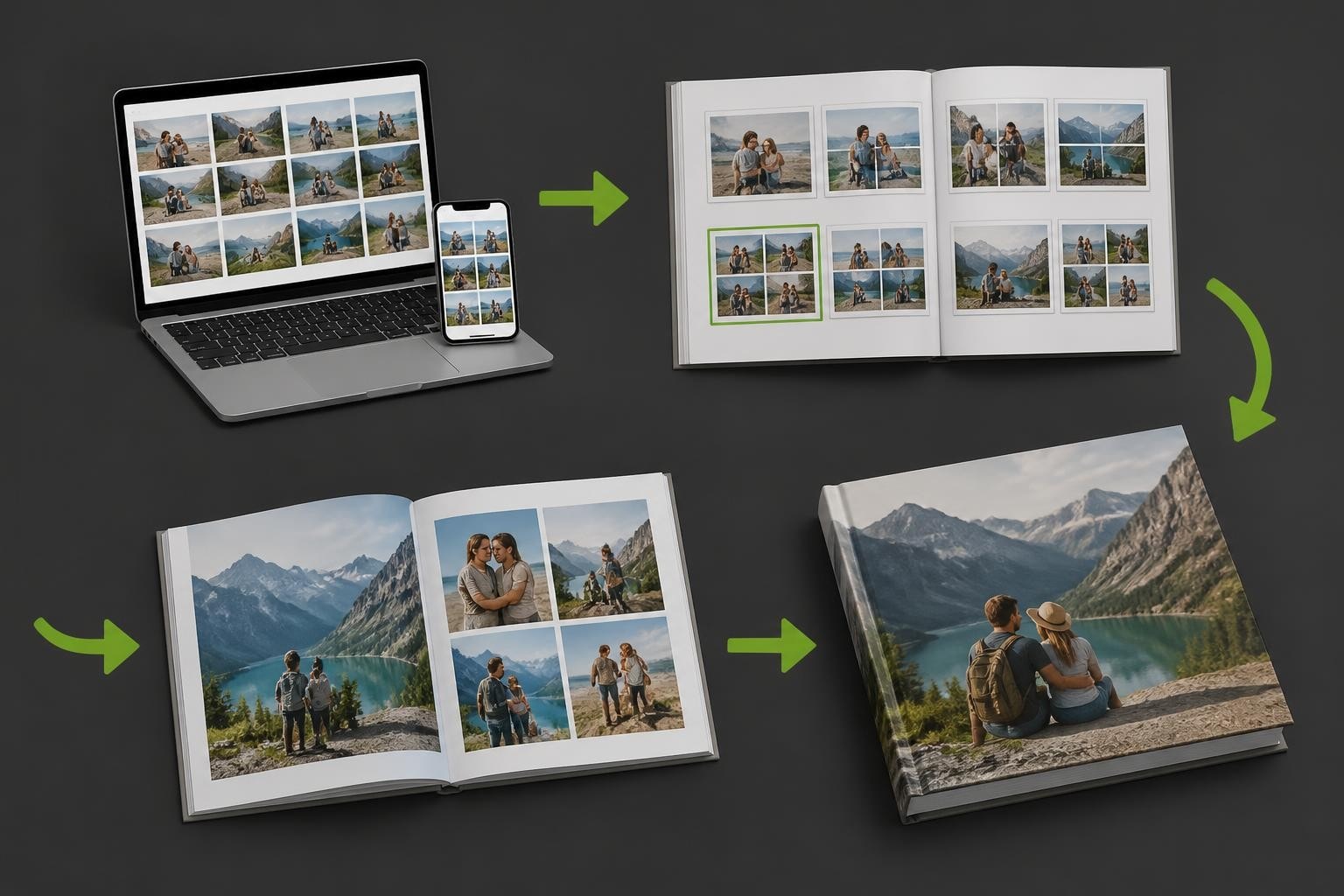
Choosing the right photo album design software represents one of the most critical decisions for businesses in the personalised print industry. The technology underpinning your photobook creation service directly influences customer satisfaction, operational efficiency, and ultimately your competitive position in an increasingly sophisticated market. Whether you're a print manufacturer, online retailer, or photography professional, understanding the landscape of design software solutions enables you to deliver exceptional personalised products whilst maintaining streamlined workflows.
Essential Features of Modern Photo Album Design Software
The foundation of effective photo album design software lies in its feature set. Businesses must evaluate platforms based on capabilities that directly impact both customer experience and operational workflows.
User Interface and Accessibility
Intuitive design tools separate exceptional software from merely functional options. Your customers expect drag-and-drop functionality, real-time previews, and seamless navigation through the creation process. Modern platforms accommodate varying skill levels, from novice users creating their first family photobook to professional photographers demanding granular control.

Key interface considerations include:
- Responsive performance across desktop and mobile devices
- Cloud-based access enabling customers to work from multiple locations
- Auto-save functionality preventing lost work
- Undo and redo capabilities encouraging experimentation
The online designer functionality exemplifies how web-based platforms can deliver professional-grade tools without requiring software downloads or installations.
Template Libraries and Customisation
A comprehensive template library accelerates the creation process whilst maintaining design quality. Professional photo album design software should offer hundreds of pre-designed layouts spanning different occasions, styles, and formats.
However, templates alone don't satisfy every requirement. The ability to modify existing templates or create entirely custom layouts proves essential for businesses targeting diverse customer segments. This flexibility enables photographers to maintain brand consistency whilst offering retail customers simplified creation paths.
| Feature Category | Basic Requirement | Advanced Capability |
|---|---|---|
| Template Count | 50+ designs | 500+ designs with regular updates |
| Customisation | Colour and text changes | Full layout modification |
| Background Options | Solid colours | Photos, patterns, gradients |
| Text Tools | Standard fonts | Custom font uploads, text effects |
Image Management and Enhancement
Robust image handling capabilities distinguish professional-grade platforms from consumer-focused alternatives. Photo album design software must process high-resolution files efficiently whilst providing enhancement tools that improve final output quality.
Automatic image enhancement features help customers achieve professional results without technical expertise. Red-eye removal, exposure correction, and colour balancing should integrate seamlessly into the design workflow rather than requiring separate editing applications.
Consider these image management features:
- Batch upload processing for collections containing hundreds of photos
- Intelligent image placement suggesting optimal layouts based on orientation and quantity
- Resolution warnings alerting users to potential print quality issues
- Crop suggestions maintaining subjects within safe print margins
- Background removal tools enabling creative compositions
The integration between design software and print production workflows ensures images maintain their quality throughout manufacturing, a consideration explored in global print manufacturing solutions.
Platform Types and Deployment Models
Different business models require distinct software deployment approaches. Understanding these options helps organisations select platforms aligned with their technical infrastructure and customer preferences.
Cloud-Based Versus Desktop Applications
Cloud-based photo album design software dominates the modern market, offering accessibility advantages that desktop applications cannot match. Customers access these platforms through web browsers, eliminating installation barriers and enabling seamless updates.
Desktop applications retain relevance for professional photographers requiring offline access and maximum processing power. The desktop designer approach proves particularly valuable for high-volume studios managing extensive client libraries whilst maintaining complete creative control.
Desktop software advantages include:
- Offline functionality enabling work without internet connectivity
- Enhanced performance for complex multi-page projects
- Local file storage maintaining complete data sovereignty
- Advanced colour management supporting professional calibration workflows
Conversely, cloud platforms excel through:
- Universal accessibility across devices and operating systems
- Automatic backups preventing data loss
- Simplified IT management reducing technical support requirements
- Instant feature updates delivering improvements without manual installations
White-Label and Customisable Solutions
Businesses seeking brand differentiation require photo album design software supporting extensive customisation. White-label platforms enable print manufacturers and retailers to present design tools under their own branding, creating seamless customer experiences.

Customisation extends beyond visual branding. Leading platforms allow businesses to configure:
- Product catalogues reflecting specific manufacturing capabilities
- Pricing structures aligned with business models
- Workflow automations reducing manual processing
- Integration points connecting order management, payment, and fulfilment systems
The fully customisable user experience represents a critical competitive advantage, enabling businesses to differentiate their offerings whilst maintaining operational efficiency.
Business Considerations and Selection Criteria
Selecting appropriate photo album design software requires balancing immediate functionality against long-term strategic requirements. Organisations must evaluate platforms through multiple lenses, considering technical capabilities alongside business factors.
Scalability and Performance Requirements
Growth-focused businesses cannot afford software limitations constraining expansion. Photo album design software must handle increasing order volumes, expanding product catalogues, and evolving customer expectations without performance degradation.
Concurrent user capacity determines how many customers can simultaneously design products during peak periods. Inadequate infrastructure leads to slow loading times, frustrating experiences, and abandoned orders. Enterprise-grade platforms architect their systems for scalability, employing distributed computing resources that expand automatically during demand spikes.
Consider these scalability factors:
| Scalability Aspect | Questions to Ask | Impact on Business |
|---|---|---|
| User Capacity | How many simultaneous designers? | Peak season performance |
| Product Range | How easily can new products be added? | Market responsiveness |
| File Size Limits | What resolution and page counts are supported? | Premium product viability |
| Geographic Distribution | Where are servers located? | International customer experience |
Integration Capabilities and Workflow Efficiency
Modern businesses operate complex technology ecosystems requiring seamless data exchange between systems. Photo album design software must integrate with e-commerce platforms, customer relationship management systems, payment processors, and manufacturing workflows.
API availability enables technical teams to build custom integrations addressing unique business requirements. Pre-built connectors for popular platforms accelerate implementation whilst reducing development costs.
Order processing automation eliminates manual intervention, routing completed designs directly to production queues. This efficiency proves particularly valuable for businesses managing high order volumes, as demonstrated in long-term implementation case studies.
- E-commerce integration synchronising product catalogues and pricing
- Payment gateway connectivity enabling seamless transactions
- Production system links automating file preparation and manufacturing instructions
- Shipping integrations generating labels and tracking information
- Analytics platforms capturing customer behaviour and design preferences
Cost Structures and Return on Investment
Pricing models for photo album design software vary considerably, from one-time licence purchases to subscription arrangements and transaction-based fees. Each structure carries distinct implications for cash flow, profitability, and long-term costs.
Subscription models distribute costs over time, reducing initial capital requirements whilst ensuring access to continuous updates. Transaction-based pricing scales with business volume but may erode margins on high-volume, low-value orders.
Evaluating total cost of ownership requires examining:
- Licence or subscription fees
- Implementation and customisation expenses
- Training requirements for staff and customers
- Ongoing technical support costs
- Update and maintenance fees
- Transaction or usage-based charges
Beyond direct costs, organisations must assess value creation. Superior photo album design software generates return on investment through increased conversion rates, higher average order values, reduced support requirements, and improved operational efficiency.
User Experience and Customer Journey Optimisation
The design software interface directly influences customer behaviour, affecting completion rates, order values, and satisfaction levels. Businesses must prioritise platforms delivering intuitive, engaging creation experiences that convert browsers into buyers.
Streamlined Creation Workflows
Friction during the design process drives abandonment. Photo album design software should guide customers through logical steps, providing clear progress indicators and minimising decision fatigue.
Smart defaults accelerate creation by pre-selecting common options whilst preserving customisation flexibility. Auto-fill features suggest image placements based on upload order, orientation, and quantity, enabling customers to complete basic projects within minutes.
Optimal workflows incorporate:
- Welcome screens explaining the creation process
- Template recommendations based on occasion or theme
- Suggested image quantities for selected products
- Progress bars indicating completion status
- Save and resume functionality for multi-session projects
- Preview modes simulating the finished product

Mobile Responsiveness and Cross-Device Continuity
Customers increasingly expect to design personalised products from smartphones and tablets. Responsive photo album design software adapts interfaces to smaller screens without compromising functionality, a consideration detailed in photo albums website strategies.
Mobile optimisation extends beyond visual adaptation. Touch-optimised controls, simplified navigation patterns, and reduced feature complexity acknowledge the different use cases mobile devices serve. Many customers browse products and begin designs on mobile before completing purchases on desktop systems.
Cross-device synchronisation enables customers to start projects on one device and continue on another. Cloud-based platforms excel in this regard, automatically saving progress and maintaining design fidelity across platforms.
Quality Control and Production Preparation
The transition from customer design to manufactured product requires sophisticated file processing and quality assurance. Professional photo album design software incorporates pre-flight checking that identifies potential issues before production begins.
Print-Ready File Generation
Automated file preparation eliminates manual intervention, converting customer designs into print-ready formats meeting manufacturer specifications. This process handles colour space conversions, resolution optimisation, bleed addition, and safety margin verification.
PDF generation remains the standard for professional printing, with software creating press-ready files incorporating embedded fonts, flattened transparency, and appropriate colour profiles. Advanced platforms generate multiple file formats simultaneously, supporting different manufacturing technologies and quality requirements.
Critical file preparation features include:
- Automatic colour space conversion (RGB to CMYK)
- Embedded ICC profile management
- Bleed and trim mark addition
- Font embedding and outlining
- Image resolution validation
- Transparency flattening
Quality Assurance and Error Prevention
Preventing defective products protects brand reputation and reduces costly reprints. Photo album design software should implement multiple quality checkpoints, alerting customers to potential issues before order submission.
Real-time validation highlights problems during design rather than at checkout. Low-resolution warnings, text-in-bleed alerts, and empty placeholder notifications enable customers to correct issues immediately.
| Quality Check | Purpose | Customer Benefit |
|---|---|---|
| Resolution Analysis | Prevent pixelated prints | Sharp, professional results |
| Bleed Verification | Avoid white borders | Edge-to-edge images |
| Text Safety Margins | Prevent cropped text | Complete readability |
| Colour Gamut Warnings | Manage colour expectations | Accurate colour reproduction |
| Page Completeness | Identify empty pages | No missing content |
Advanced Features and Emerging Technologies
Innovation continues reshaping photo album design software capabilities. Forward-thinking businesses evaluate platforms incorporating emerging technologies that enhance customer experiences and operational efficiency.
Artificial Intelligence and Automation
AI-powered features represent the next frontier in design software, automating tedious tasks whilst maintaining creative control. Intelligent image selection algorithms analyse photo libraries, identifying the best shots based on composition, sharpness, and subject detection.
Automated layout generation creates complete photobook designs from uploaded image collections, applying design principles regarding pacing, variety, and visual hierarchy. Customers can accept these suggestions entirely, use them as starting points, or ignore them completely.
Machine learning applications include:
- Smart cropping focusing on detected faces and subjects
- Caption generation using image metadata and recognition
- Colour palette extraction creating coordinated design schemes
- Similar image detection preventing duplicate photo usage
- Layout recommendations based on image quantities and orientations
Collaborative Design and Social Features
Multi-user collaboration transforms photo album creation from solitary activities into shared experiences. Family members contribute photos and design input for wedding albums, whilst event attendees collectively build celebration books.
Permission-based sharing controls who can view, comment, or edit specific projects. These capabilities prove particularly valuable for professional photographers collaborating with clients, enabling iterative refinement without cumbersome file transfers.
Social integration extends marketing reach, enabling customers to share preview images across networks. This organic promotion generates awareness whilst providing implicit endorsements from trusted contacts.
Technical Infrastructure and Reliability
Behind every successful photo album design software lies robust technical infrastructure ensuring consistent performance, data security, and business continuity.
Data Security and Privacy Compliance
Customer photo libraries contain deeply personal content requiring stringent protection. Professional platforms implement encryption for data transmission and storage, access controls limiting employee visibility, and regular security audits identifying vulnerabilities.
Regulatory compliance proves non-negotiable for businesses operating internationally. GDPR requirements in Europe, CCPA regulations in California, and emerging privacy frameworks worldwide demand careful data handling. Photo album design software must facilitate compliance through data minimisation, retention controls, and customer data access provisions.
Security considerations encompass:
- End-to-end encryption for uploads and storage
- Secure authentication mechanisms
- Regular penetration testing
- Compliance certifications (ISO 27001, SOC 2)
- Transparent privacy policies
- Data deletion capabilities
Uptime Guarantees and Technical Support
System unavailability directly impacts revenue, particularly during peak seasons when customers create photo book gifts for holidays and celebrations. Service level agreements specifying uptime guarantees provide assurance regarding platform reliability.
Technical support responsiveness determines how quickly issues are resolved. Tiered support structures offering different response times based on severity ensure critical problems receive immediate attention whilst routine questions are handled efficiently.
Evaluate support offerings including:
- Guaranteed response times
- Support channels (phone, email, chat)
- Documentation quality and completeness
- Training resources for staff
- Developer support for integrations
- Proactive monitoring and incident notification
Selecting and implementing effective photo album design software requires careful evaluation of features, business alignment, and long-term scalability. The right platform transforms customer photos into cherished keepsakes whilst streamlining operations and supporting business growth. Taopix delivers comprehensive software solutions enabling businesses to offer photobooks and personalised print products with flexible workflows and fully customisable user experiences, empowering organisations to compete effectively in the dynamic personalised products market.