
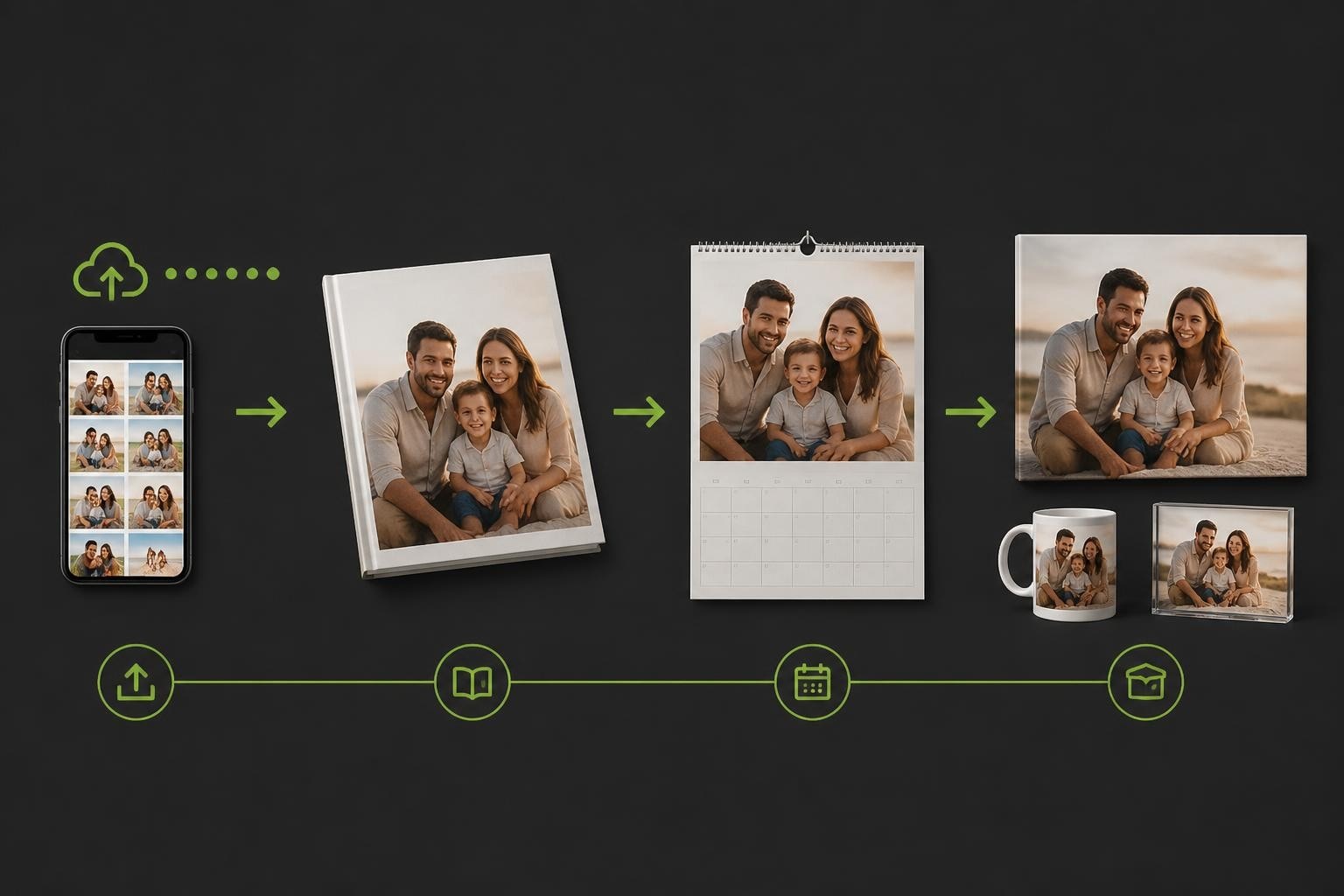
The term photo box encompasses both physical storage solutions for printed photographs and, increasingly, the digital software platforms that enable creation of personalised print products. In the commercial printing and personalisation industry, a photo box represents the complete ecosystem of tools, workflows, and technologies that transform digital images into tangible keepsakes. Understanding how modern photo box systems operate proves essential for businesses looking to offer competitive photobook services, personalised gifts, and custom calendars to their customers.
Understanding Modern Photo Box Technology
A photo box solution in 2026 extends far beyond simple image storage. These sophisticated platforms integrate editing capabilities, design tools, and production workflows into cohesive systems that serve both end users and commercial print operations.
The architecture of a professional photo box system typically includes several core components working in harmony. Image management forms the foundation, allowing users to upload, organise, and retrieve photographs efficiently. Effective photo organizing software has become increasingly sophisticated, incorporating artificial intelligence to tag, categorise, and suggest groupings automatically.
Key components of enterprise photo box platforms include:
- Cloud-based storage infrastructure with redundancy
- Browser-based design interfaces requiring no software installation
- Template libraries for various product types
- Real-time rendering engines for instant preview
- Integration capabilities with production equipment
- Mobile responsiveness for tablet and smartphone access
The Taopix software exemplifies this comprehensive approach, providing businesses with fully customisable user experiences that adapt to different market segments and customer needs.
The Evolution from Storage to Creation
Traditional photo boxes served a simple archival function. Modern iterations have transformed into creative platforms where photographs become the raw material for personalised products. This shift reflects changing consumer behaviour, with customers seeking not merely to store memories but to display and share them through physical products.
The transition from passive storage to active creation requires robust editing capabilities. Users expect to adjust brightness, crop images, apply filters, and enhance quality before committing designs to print. Advanced RAW file processing has become accessible even within consumer-facing platforms, ensuring professional results regardless of technical expertise.

Photo Box Applications in Personalised Print Products
The versatility of photo box systems enables creation across multiple product categories, each requiring specific technical considerations and design approaches.
| Product Type | Typical Photo Count | Design Complexity | Production Time |
|---|---|---|---|
| Photobooks | 20-200 images | High | 2-5 days |
| Calendars | 12-24 images | Medium | 1-3 days |
| Greeting Cards | 1-6 images | Low | Same day |
| Canvas Prints | 1 image | Low | 1-2 days |
| Photo Gifts | 1-20 images | Medium | 2-4 days |
Photobook Creation Workflows
Photobooks represent the most complex application of photo box technology. Users must not only select and arrange photographs but also consider layout design, text placement, background choices, and overall narrative flow.
Professional photo box platforms offer multiple workflow options to accommodate different user preferences. Template-based approaches provide pre-designed layouts where users simply drop photographs into designated spaces. This method suits customers seeking quick results with guaranteed professional appearance.
Freeform design tools appeal to creative users who want complete control over element placement, sizing, and styling. The challenge for photo box developers lies in balancing creative freedom with usability, preventing overwhelming complexity whilst maintaining sophisticated capabilities.
The online designer approach eliminates installation requirements, allowing customers to begin creating immediately through their web browsers. This accessibility significantly reduces abandonment rates compared to systems requiring software downloads.
Essential photobook features include:
- Multi-page spread view for design continuity
- Background pattern and colour libraries
- Text overlay capabilities with font selection
- Automatic photo arrangement algorithms
- Smart cropping that preserves focal points
- Page reordering through drag-and-drop
- Real-time pricing updates as designs develop
Personalised Calendars and Seasonal Products
Photo box systems excel at creating date-specific products like calendars, where images must align with temporal frameworks. Calendar creation requires additional logic beyond standard photobook workflows, including date grid generation, holiday marking, and monthly layout variations.
Many businesses find calendars particularly profitable as they combine emotional value with practical utility. Customers often create calendars featuring family photographs, travel memories, or themed collections that serve functional purposes throughout the year.
The software must handle multiple calendar formats including wall calendars, desk calendars, and pocket planners. Each format demands different image dimensions, orientation preferences, and space allocation between photographs and date grids.

Technical Infrastructure for Photo Box Platforms
Behind user-friendly interfaces, photo box systems rely on sophisticated technical architectures that handle demanding computational and storage requirements.
Image Processing and Quality Management
Maintaining image quality throughout the design and production process presents ongoing challenges. Photographs arrive in various formats, resolutions, and colour spaces. The photo box must normalise these inputs whilst preserving maximum quality for print output.
Resolution checking represents a critical function. Low-resolution images produce poor print results, yet non-technical users often struggle to understand pixel dimensions and DPI requirements. Effective photo box platforms implement visual warning systems that flag potentially problematic images whilst suggesting alternatives or adjustments.
Colour management ensures consistency between screen previews and printed products. RGB images displayed on monitors must convert to CMYK for commercial printing, with the photo box system maintaining colour fidelity throughout this translation.
Quality assurance mechanisms include:
- Automatic upscaling algorithms for marginal images
- Blur detection to identify out-of-focus photographs
- Face recognition for intelligent cropping suggestions
- Colour profile conversion with gamut mapping
- Print-resolution simulation for accurate preview
- Bleed and trim zone visualisation
Scalability and Performance Optimisation
Commercial photo box platforms must handle concurrent users during peak periods whilst maintaining responsive performance. Image-heavy applications strain both server resources and network bandwidth, requiring careful optimisation.
Caching strategies reduce redundant processing by storing frequently accessed templates, fonts, and design elements. Progressive image loading displays low-resolution previews immediately whilst higher quality versions load in background, maintaining perceived performance even on slower connections.
The desktop designer alternative offers advantages for users with limited internet connectivity, processing images locally rather than uploading entire libraries to cloud servers. This hybrid approach accommodates diverse technical environments whilst maintaining centralised template and product libraries.
Integration with Print Production Workflows
A photo box system achieves its ultimate purpose when designs transition seamlessly from digital creation to physical production. This integration determines both product quality and business efficiency.
File Generation and Print Preparation
Once customers finalise designs, the photo box must generate print-ready files meeting manufacturer specifications. This process involves multiple technical considerations including bleed margins, colour profiles, binding allowances, and resolution verification.
PDF remains the standard format for commercial printing, but photo box systems must generate PDFs configured precisely for specific production equipment. Different printers require different PDF settings regarding compression, colour management, and font embedding.
Print preparation automation reduces errors and accelerates order processing. Manual intervention introduces delays and potential mistakes, whilst fully automated systems generate production files instantly upon order confirmation.
Global Distribution and Local Printing
Modern photo box platforms increasingly support distributed manufacturing models where designs created in one location print in facilities nearest the end customer. This approach reduces shipping costs and delivery times whilst complicating technical requirements.
The global print manufacturing capability requires standardised file formats that function identically across multiple production facilities, potentially using different equipment brands and configurations.
Quality consistency across distributed printing presents ongoing challenges. Colour matching, paper stock equivalence, and binding techniques must produce indistinguishable results regardless of production location.

Business Models and Market Opportunities
Photo box technology enables various commercial approaches, from pure software licensing to complete turnkey solutions. Understanding these models helps businesses identify optimal strategies for their markets.
B2C Direct-to-Consumer Platforms
Consumer-facing photo box services market directly to individuals creating personal products. This model emphasises user experience, marketing capabilities, and brand building alongside technical functionality.
Success in B2C markets requires intuitive interfaces that accommodate users with minimal design experience. Tutorial systems, inspiration galleries, and automated design suggestions reduce friction whilst encouraging creative exploration.
Marketing costs typically represent significant investments for B2C photo box businesses. Customer acquisition through digital advertising, social media presence, and search engine optimisation demands ongoing expenditure, with photo book gift markets particularly competitive during holiday periods.
B2B Software Provision
Alternative business models focus on providing photo box technology to other businesses rather than selling directly to consumers. This approach emphasises software capabilities, integration flexibility, and white-label customisation.
Professional photography studios represent natural photo box customers, seeking to offer print products that complement their shooting services. Specialists like One Big Happy Photo create stunning newborn photography that families want to preserve in high-quality photobooks and albums, making integrated creation tools essential to their service offerings.
Retailers expanding into personalisation services require photo box platforms that integrate with existing eCommerce infrastructures. For businesses operating on platforms like Shopify, connecting photo box functionality with inventory management, payment processing, and customer databases presents technical challenges that specialist software addresses. Communities like Talk Shop provide valuable resources for merchants navigating these integrations.
B2B photo box considerations include:
- API availability for system integration
- White-label customisation options
- Multi-tenant architecture for reseller models
- Volume licensing and pricing structures
- Technical support and implementation assistance
- Update schedules and version management
User Experience and Interface Design
The interface mediates every interaction between customers and photo box functionality. Thoughtful design directly impacts completion rates, customer satisfaction, and repeat business.
Progressive Complexity and Guided Workflows
Balancing simplicity for beginners with sophistication for advanced users represents an ongoing design challenge. Progressive disclosure principles reveal advanced features only when users demonstrate readiness through their actions.
Step-by-step wizards guide new users through initial product creation, asking questions about occasion, recipient, and preferences before presenting design options. This structured approach reduces overwhelm whilst educating users about available possibilities.
Experienced users appreciate shortcuts, keyboard commands, and bulk operations that accelerate repetitive tasks. Supporting both guided and expert workflows within a single photo box platform requires careful information architecture and interface layering.
Mobile Optimisation and Cross-Device Continuity
Smartphone photography dominates image capture in 2026, making mobile-optimised photo box interfaces increasingly important. However, designing complex products on small screens presents usability challenges.
Responsive design ensures photo box platforms function across device sizes, but true mobile optimisation requires reconsidering workflows specifically for touch interfaces and limited screen space. Simplified mobile tools for quick card creation or simple layouts complement full-featured desktop designers for complex photobook projects.
Cross-device continuity allows users to begin projects on smartphones, continue on tablets, and finalise on desktop computers. Cloud synchronisation maintains design state across devices, accommodating natural workflows where image selection occurs mobile whilst detailed layout happens at larger screens.
| Feature | Mobile Priority | Desktop Priority |
|---|---|---|
| Photo upload | Very High | Medium |
| Template browsing | High | Medium |
| Quick edits | Very High | High |
| Precise positioning | Low | Very High |
| Multi-page layout | Medium | Very High |
| Text formatting | Low | High |
Future Developments in Photo Box Technology
Photo box platforms continue evolving, incorporating emerging technologies that enhance capabilities and user experiences whilst addressing changing market demands.
Artificial Intelligence Integration
AI transforms multiple aspects of photo box functionality, from image enhancement to automated design generation. Machine learning algorithms analyse photograph collections to suggest optimal selections for specific products, identifying the strongest images whilst ensuring variety and balance.
Automated layout generation uses AI to arrange photographs according to composition principles, colour harmony, and visual flow. Whilst maintaining user control over final designs, these suggestions accelerate creation and improve aesthetic quality for less confident designers.
Smart cropping algorithms identify subjects within photographs and crop intelligently to fit template constraints whilst preserving important elements. Face detection ensures people remain visible and properly positioned regardless of template dimensions.
Sustainability and Environmental Considerations
Environmental consciousness increasingly influences photo box development and operations. Digital-first approaches reduce physical waste compared to traditional photography, but printing still consumes resources and generates emissions.
Photo box platforms can promote sustainability through paper selection interfaces that highlight recycled options, carbon footprint calculators for shipping choices, and digital sharing alternatives for recipients who might not want physical products.
Print-on-demand models inherently reduce waste compared to inventory-based approaches, producing only confirmed orders rather than speculative stock. This efficiency aligns with broader environmental goals whilst improving business economics.
Augmented Reality Preview
AR technology enables customers to visualise photo box products in their intended environments before ordering. Wall art previews show how canvases appear in specific rooms, whilst photobook previews simulate page turning and physical handling.
These immersive experiences reduce uncertainty and increase confidence in purchase decisions. Return rates decrease when customers accurately understand product appearance and size before ordering.
Implementation requires sophisticated 3D rendering and device camera integration, but improving smartphone capabilities make AR increasingly accessible within browser-based photo box platforms.
Building Competitive Advantage Through Photo Box Excellence
Success in personalised print markets requires more than functional photo box software. Competitive differentiation emerges through strategic focus on specific capabilities that resonate with target customers.
Specialisation Versus Generalisation
Some photo box platforms succeed through breadth, offering every conceivable product type and design option. Others differentiate through depth, focusing intensively on specific products like creative photo books or particular market segments like wedding photography.
Specialisation allows deeper feature development and more focused marketing messages. Generalisation spreads development resources across broader functionality but captures larger addressable markets.
The optimal strategy depends on competitive landscapes, technical capabilities, and target customer characteristics. Long-term partnerships spanning 15 years demonstrate how consistent focus and evolution build sustainable competitive positions.
Template Libraries and Design Resources
Content quality significantly impacts user success. Extensive template libraries provide starting points that inspire whilst demonstrating product possibilities. Regular updates with seasonal, trending, and occasion-specific templates maintain freshness and encourage repeat visits.
Beyond templates, photo box platforms benefit from comprehensive design resources including clipart libraries, background patterns, font collections, and embellishment options. Licensing these elements requires careful rights management to ensure commercial usage permissions.
Creating original content versus licensing third-party resources represents ongoing strategic decisions. Original content provides differentiation and control but demands significant creative investment. Licensed content offers variety and professional quality but lacks exclusivity.
Photo box technology has evolved from simple storage solutions into sophisticated creation platforms that power the modern personalised print industry. Success requires balancing technical excellence with intuitive user experiences, comprehensive product capabilities with focused differentiation, and automated efficiency with creative flexibility. Whether you're establishing photo albums websites or enhancing existing print services, the right photo box platform transforms how customers create and enjoy their most cherished memories. Taopix delivers the software infrastructure, customisation capabilities, and ongoing innovation that businesses need to thrive in this dynamic market, with flexible workflows and comprehensive support that adapts as your requirements evolve.