
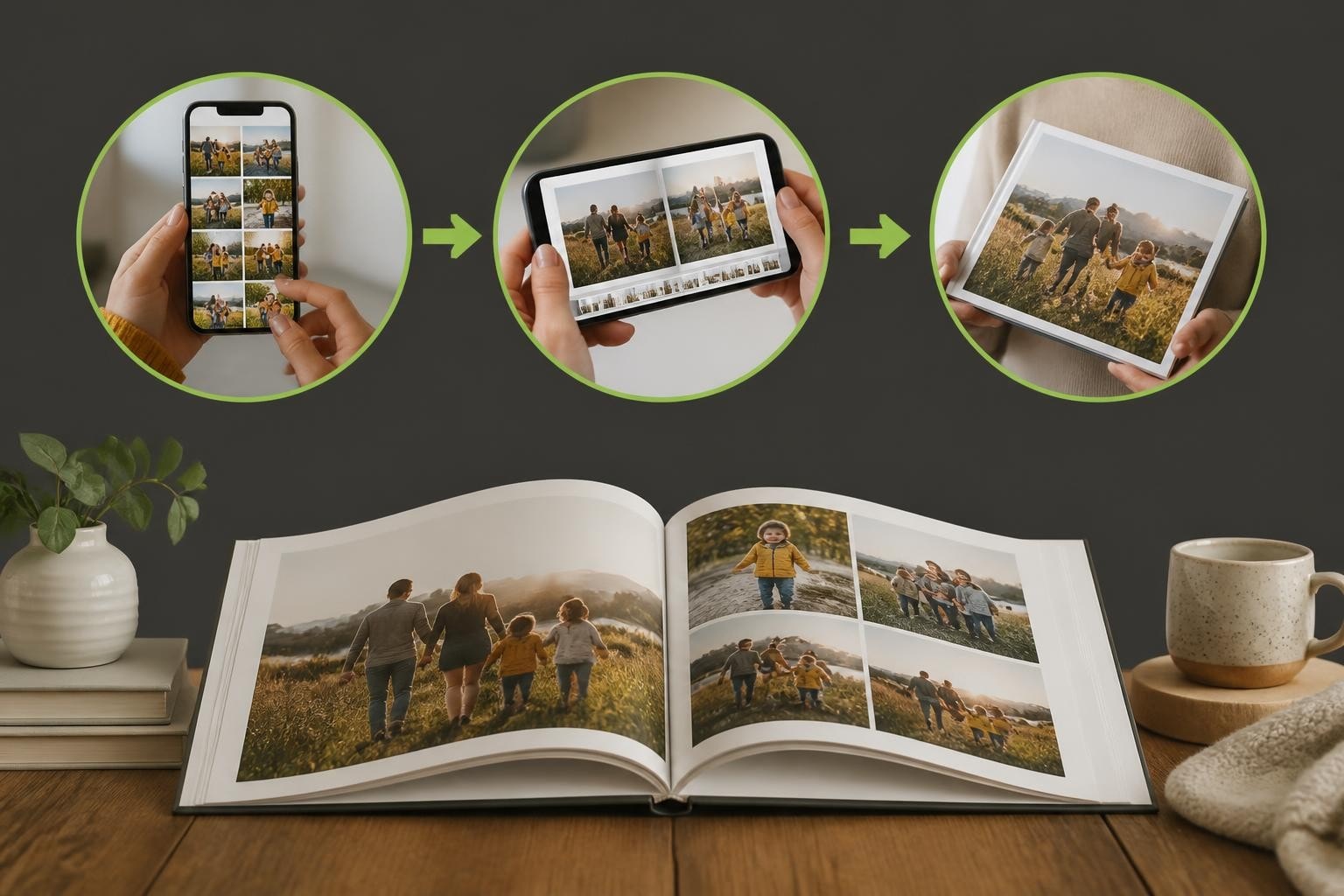
Finding good photo book apps requires understanding what transforms a simple image collection into a compelling personalised product. In 2026, the digital marketplace offers countless solutions, yet only the most sophisticated platforms truly empower users to create meaningful keepsakes. Whether you're a business seeking to implement photo book technology or evaluating market offerings, knowing which features separate exceptional apps from mediocre ones proves essential for success.
Essential Features of Good Photo Book Apps
The foundation of any successful photo book application lies in its core functionality. Good photo book apps balance sophisticated capabilities with intuitive design, ensuring users can navigate complex creative processes without frustration.
User Interface Design stands paramount in determining app success. The interface must accommodate both novice users seeking quick results and experienced designers requiring granular control. Touch-responsive controls, drag-and-drop functionality, and real-time preview capabilities create the seamless experience users expect in 2026.
Image Management and Organisation
Effective photo management separates good photo book apps from their competitors. Users typically work with hundreds of images simultaneously, demanding robust organisational tools.
- Intelligent sorting by date, location, or facial recognition
- Album and folder synchronisation across devices
- Cloud storage integration for seamless access
- Batch editing and selection tools
- Quick search and filtering capabilities
Modern applications leverage machine learning to suggest optimal image selections based on quality metrics such as sharpness, exposure, and composition. This technology reduces the time users spend culling through images whilst maintaining creative control.

| Feature Category | Basic Implementation | Advanced Implementation |
|---|---|---|
| Image Import | Manual upload only | Cloud sync, social media integration, direct camera import |
| Organisation | Simple folders | AI-powered tagging, facial recognition, geo-sorting |
| Quality Control | No guidance | Automatic resolution warnings, enhancement suggestions |
| Selection Tools | Individual selection | Batch operations, smart albums, favourite collections |
The most successful platforms incorporate multiple import methods, recognising that users store photographs across various services and devices. Integration with popular cloud storage providers, social media platforms, and direct camera connections ensures comprehensive image accessibility.
Design Customisation and Creative Control
Good photo book apps distinguish themselves through the depth and flexibility of their design capabilities. The creative toolset determines whether users can translate their vision into reality or feel constrained by template limitations.
Template libraries provide starting points, but truly effective apps allow complete departure from preset designs. Users should modify layouts, adjust spacing, alter colour schemes, and incorporate custom elements without technical barriers.
Layout Flexibility and Adaptive Design
Modern photo book creation demands responsive layouts that adapt to different content types and quantities. Fixed templates frustrate users when images don't conform to predetermined spaces.
Smart layout engines analyse image orientation, aspect ratio, and quantity, automatically suggesting optimal arrangements whilst permitting manual override. This balance between automation and control defines the creative photo books that resonate with users.
Typography and text integration require equal consideration. Good photo book apps provide:
- Extensive font libraries with proper licensing
- Text formatting tools including alignment and spacing controls
- Caption automation linked to image metadata
- Multi-column text flow for story-heavy projects
- Special character support for international markets
Advanced Design Elements
Professional-grade applications extend beyond basic image placement, offering embellishments that elevate photo books from simple albums to artistic creations.
Background customisation, border effects, and decorative elements enable personalisation without overwhelming the primary content. The interface must present these options accessibly whilst maintaining clean, uncluttered workspaces.
Colour management systems ensure accurate reproduction between screen preview and final print. Good photo book apps incorporate ICC profile support and soft-proofing capabilities, showing users realistic representations of how colours will appear on chosen paper stocks.
Technical Performance and Reliability
Behind attractive interfaces and creative tools, technical architecture determines whether good photo book apps deliver satisfactory experiences or frustrate users with crashes and delays.
Processing Speed and Responsiveness
High-resolution image handling demands significant computational resources. Applications must process, render, and display multiple high-quality photographs simultaneously without lag or system strain.
- Optimised image caching for rapid page navigation
- Background processing for resource-intensive operations
- Progressive loading for immediate feedback
- Efficient memory management preventing crashes
- Multi-threading support for modern processors
Users abandon projects when applications become unresponsive. The best platforms maintain fluid interaction even when working with projects containing dozens of pages and hundreds of images.

Cross-Platform Compatibility
In 2026, users expect seamless experiences across multiple devices. Good photo book apps synchronise projects between smartphones, tablets, and desktop computers, allowing users to begin creation on one device and continue on another.
| Platform | Essential Requirements | Advanced Capabilities |
|---|---|---|
| Mobile (iOS/Android) | Touch-optimised interface, offline editing | Camera integration, location-based suggestions |
| Tablet | Larger canvas workspace, stylus support | Split-screen multi-tasking, external display output |
| Desktop | Keyboard shortcuts, precise controls | Professional colour management, batch processing |
| Web Browser | No installation required, universal access | Real-time collaboration, cloud rendering |
Cloud synchronisation must handle version control intelligently, preventing conflicts when users edit the same project across devices. Automatic save functions and revision history protect against data loss whilst enabling experimentation.
Print Quality and Production Integration
The ultimate measure of good photo book apps extends beyond digital creation to physical output quality. Software excellence means little if the final printed product disappoints.
Resolution Management and Quality Assurance
Applications must guide users toward optimal print results through intelligent resolution checking and enhancement suggestions. Real-time warnings about low-resolution images prevent disappointment after ordering.
Sophisticated platforms analyse each image's effective resolution based on its placement size and the selected print format. A photograph suitable for a small corner placement may prove inadequate when stretched across a double-page spread.
Print file generation requires technical precision. Good photo book apps create production-ready PDFs or proprietary formats that preserve colour accuracy, image sharpness, and layout integrity throughout the manufacturing process.
Manufacturing Workflow Integration
For businesses implementing photo book solutions, backend integration capabilities determine operational efficiency. The software must communicate seamlessly with production equipment and fulfilment systems.
Modern platforms support diverse manufacturing scenarios, from local print-on-demand operations to global print manufacturing and shipping networks. This flexibility allows businesses to scale operations whilst maintaining quality standards.
Business Considerations for Photo Book Software
Organisations evaluating good photo book apps must consider factors beyond end-user experience. Commercial viability, customisation potential, and support infrastructure determine long-term success.
White-Label Capabilities and Branding
Businesses require software that reflects their brand identity rather than promoting third-party platforms. Fully customisable interfaces, branded workflows, and proprietary domain hosting create cohesive customer experiences.
The depth of customisation separates basic reseller arrangements from true technology partnerships. Every visual element, from colour schemes to button styles, should align with brand guidelines.
Product Range Flexibility enables businesses to differentiate their offerings. Beyond standard photo books, the platform should support:
- Wall art and canvas prints
- Calendars and planners
- Greeting cards and stationery
- Photo gifts and novelties
- Corporate products and portfolios
This versatility allows businesses to serve diverse customer segments through unified technology infrastructure.

Pricing Models and Commercial Structure
Different business models require corresponding software licensing arrangements. Good photo book apps accommodate various commercial structures through flexible pricing.
| Business Model | Software Requirements | Revenue Sharing |
|---|---|---|
| Direct Sales | Full white-label platform | No revenue sharing, licensing fee |
| Retail Partnership | Branded interface, shared infrastructure | Commission-based or transaction fees |
| Enterprise/Corporate | Multi-user accounts, bulk ordering | Annual licensing or per-seat pricing |
| Print Service Provider | Manufacturing integration, customer management | Usage-based or hybrid models |
Transparent pricing without hidden transaction fees or escalating costs as volume grows protects profit margins and enables accurate financial forecasting.
User Experience Optimisation
Good photo book apps succeed by removing friction from the creation process whilst maintaining quality standards. Every interaction should feel intuitive and purposeful.
Onboarding and User Guidance
First-time users require different support than experienced creators. Adaptive interfaces that recognise user expertise levels provide appropriate guidance without condescension.
Interactive tutorials demonstrate key features contextually rather than through overwhelming initial walkthroughs. Progressive disclosure reveals advanced capabilities as users develop confidence and skills.
Template Intelligence goes beyond static layouts, suggesting appropriate designs based on project characteristics. A wedding photo book requires different aesthetic approaches than a travel journal or family yearbook.
Mobile-First Design Considerations
With mobile devices dominating internet usage, good photo book apps prioritise smartphone experiences. However, mobile-first doesn't mean mobile-only; the interface must scale gracefully across screen sizes.
Touch targets require adequate spacing for finger-based interaction. Gesture controls should feel natural, with swipe, pinch, and long-press actions performing expected functions. Voice commands and accessibility features ensure inclusivity.
Data Security and Privacy Protection
Photo books contain deeply personal content, making security paramount. Good photo book apps implement comprehensive protection measures that safeguard user data without compromising functionality.
Encryption standards protect images during transmission and storage. End-to-end encryption ensures that even service providers cannot access user content without explicit permission. Regular security audits and compliance certifications demonstrate commitment to data protection.
GDPR Compliance and International Standards
Operating across international markets requires adherence to varied regulatory frameworks. Applications must accommodate different privacy requirements whilst maintaining consistent user experiences.
- Transparent data collection and usage policies
- User consent management for marketing communications
- Right to deletion and data portability
- Age verification for child safety
- Regional data storage requirements
Privacy-conscious design builds trust, encouraging users to engage deeply with the platform and create multiple projects over time.
Integration Ecosystem and Extensibility
Good photo book apps function as hubs within larger digital ecosystems. Integration capabilities determine how well the platform fits into users' existing workflows and businesses' operational structures.
Third-Party Service Connections
Modern users expect applications to connect with services they already use. Social media integration enables direct import from platforms where users share and store photographs. Cloud storage synchronisation ensures access to complete photo libraries.
Payment gateway integration streamlines checkout processes, supporting multiple payment methods and currencies for international markets. Shipping provider connections enable real-time rate calculation and tracking information.
API Availability allows businesses to extend functionality beyond core features. Developers can create custom integrations, automate workflows, and build bespoke features that address specific market needs.
Analytics and Business Intelligence
For commercial operators, good photo book apps provide insights into user behaviour, popular products, and operational performance. Data-driven decision-making optimises marketing strategies and product development.
Dashboard analytics reveal conversion rates, average order values, and customer lifetime metrics. Understanding where users abandon projects identifies friction points requiring interface refinement.
Inventory management integration prevents overselling whilst minimising stock holding costs. Production queue visibility enables capacity planning and realistic delivery time commitments.
Future-Proofing and Technology Evolution
The digital landscape evolves rapidly, requiring photo book software that adapts to emerging technologies and changing user expectations. Good photo book apps demonstrate commitment to ongoing development.
Artificial Intelligence Integration
Machine learning capabilities extend beyond image organisation into creative assistance. AI-powered design suggestions analyse image content, identifying optimal layouts that highlight key subjects and create visual flow.
Automated enhancement tools improve image quality without requiring technical expertise. One-click corrections for exposure, colour balance, and sharpness make professional results accessible to casual users.
Augmented Reality Preview
Emerging technologies enable users to visualise photo books in physical spaces before ordering. AR preview capabilities allow customers to see accurate size representations and page layouts through smartphone cameras, reducing uncertainty and returns.
Understanding what constitutes good photo book apps requires examining features, performance, and business considerations that separate exceptional platforms from adequate solutions. The right technology balances creative freedom with intuitive operation whilst supporting diverse commercial models and manufacturing workflows.
Taopix provides comprehensive software solutions that empower businesses to deliver exceptional photo book experiences. With fully customisable platforms, flexible workflows, and robust manufacturing integration, Taopix enables companies to offer personalised products that engage customers and drive sustainable growth.