
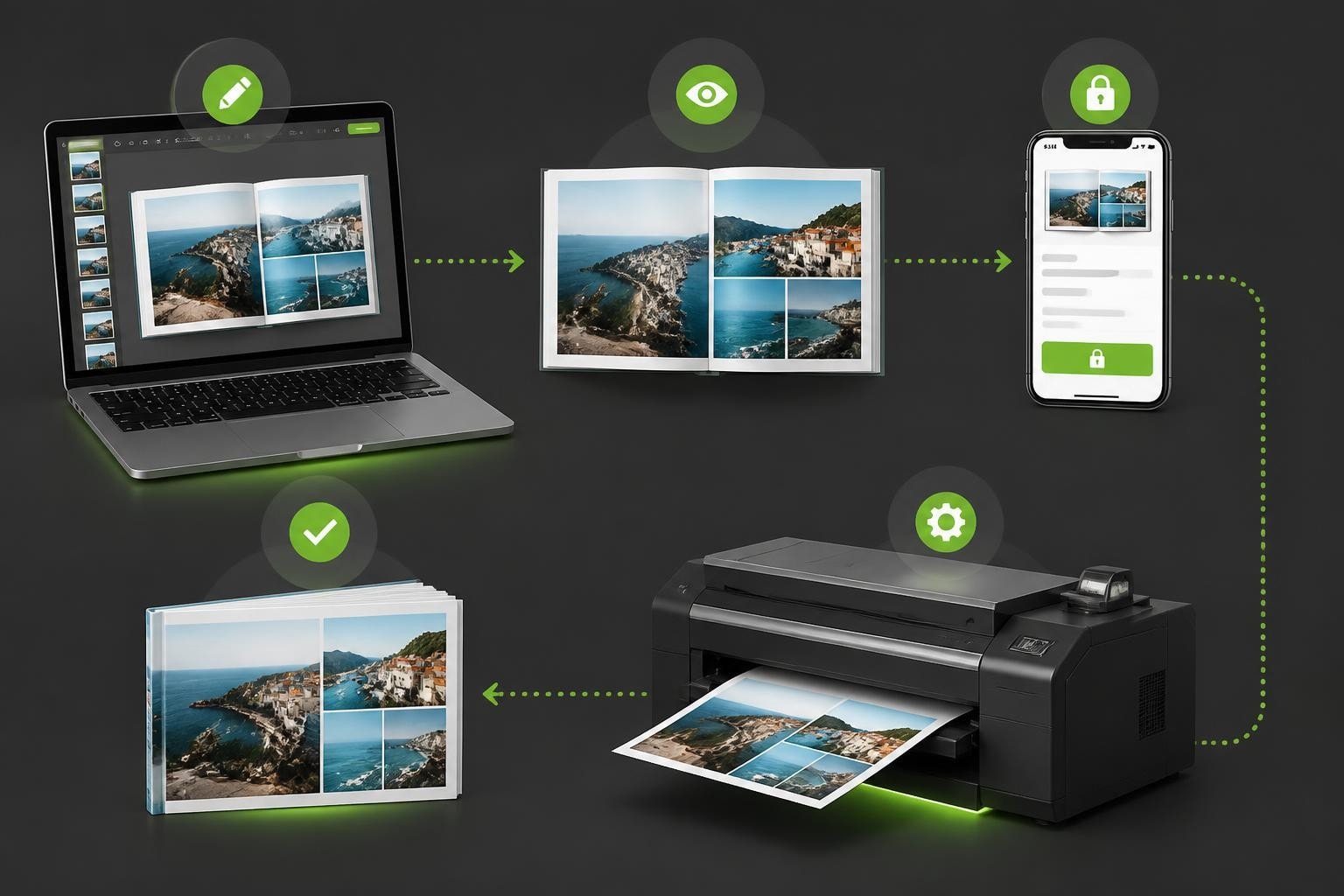
The personalised print industry has experienced remarkable growth, with photobooks representing one of the most sophisticated product categories in digital commerce. Selecting the right ecommerce photobook software determines whether a business can deliver seamless customer experiences whilst maintaining profitable operations. This comprehensive guide examines the essential components, technical considerations, and strategic decisions that enable print businesses to thrive in today's competitive landscape.
Core Architecture of Modern Photobook Platforms
Robust ecommerce photobook software requires three foundational layers working in harmony: the customer-facing design interface, the production workflow engine, and the commerce integration framework. Each layer must communicate reliably whilst handling complex data flows.
The design interface serves as the primary customer touchpoint. Users expect intuitive drag-and-drop functionality, real-time preview rendering, and responsive performance across devices. Research on consumer preferences for product customisation demonstrates that offering between three and seven meaningful choices optimises conversion rates, whilst excessive options create decision paralysis.
Production Workflow Integration
The middleware layer orchestrates file preparation, quality validation, and routing to manufacturing. Modern systems automatically check image resolution, apply colour profiles according to ICC standards, and generate print-ready PDFs conforming to ISO specifications.
Production teams benefit from:
- Automated preflight checks that flag low-resolution images before production begins
- Smart layout engines that optimise image placement based on orientation and aspect ratio
- Version control systems tracking every customer revision throughout the design process
- Queue management prioritising urgent orders whilst balancing production capacity
Print production follows stringent technical standards. The ISO TC130 guidelines for print production standards provide authoritative frameworks for maintaining colour consistency and quality assurance across photobook manufacturing.

Essential Features for Customer Engagement
Successful photobook platforms balance creative flexibility with guided experiences. The software must accommodate both novice users seeking templates and advanced customers requiring pixel-perfect control.
Template libraries form the foundation of user engagement. Categorising templates by occasion, style, and page count helps customers find relevant starting points quickly. Dynamic templates that automatically adapt to different page counts prevent layout inconsistencies.
| Feature Category | Basic Implementation | Advanced Capability |
|---|---|---|
| Image Management | Manual upload and placement | AI-powered auto-fill with smart cropping |
| Text Editing | Standard fonts and colours | Custom font upload, text on path, advanced typography |
| Background Options | Solid colours and patterns | Custom background upload, gradient editor, texture libraries |
| Layout Control | Fixed template layouts | Flexible grid systems, custom bleed settings |
Real-Time Preview Technology
Preview accuracy directly impacts customer satisfaction and return rates. The software must render pages exactly as they will appear in print, accounting for colour space conversions, binding creep, and paper characteristics.
Professional photobook systems utilise server-side rendering engines that generate high-fidelity previews whilst maintaining performance. This approach prevents browser limitations from compromising image quality, particularly on mobile devices where processing power varies significantly.
Colour management deserves particular attention. The RTINGS photo printing guide explains how different substrates affect colour reproduction. Your ecommerce photobook software should simulate these variations in the preview, ensuring customers understand how glossy versus matte finishes alter appearance.
Commerce Platform Integration Strategies
Photobook creators represent complex products requiring deep integration with ecommerce platforms. Standard product catalogue structures struggle to accommodate the millions of potential variations that personalisation enables.
API-First Architecture
Modern integration relies on robust APIs rather than monolithic plugins. The Shopify Storefront API exemplifies how headless commerce enables photobook configurators to function as specialised applications whilst seamlessly integrating with cart, checkout, and order management systems.
API integration provides several advantages:
- Platform independence allowing the same photobook software to serve multiple storefronts
- Version control decoupling photobook updates from ecommerce platform upgrade cycles
- Performance optimisation through dedicated servers handling resource-intensive rendering
- Custom workflows supporting unique pricing rules, approval processes, and production routing
Variant management requires sophisticated logic. Rather than creating individual SKUs for each possible photobook configuration, modern systems generate dynamic products with pricing calculated based on page count, size, finish, and binding options selected during customisation.

Security and Compliance Considerations
Print retailers processing customer payments must address stringent security requirements. Payment Card Industry Data Security Standard (PCI DSS) compliance protects both business and customers from data breaches.
The PCI Security Standards Council guidelines clarify that businesses using tokenisation and hosted payment pages can significantly reduce compliance scope. Your ecommerce photobook software should never handle raw card data directly.
Data Protection Architecture
Customer design files contain personal photographs and information requiring careful protection. Implementing encryption for data at rest and in transit prevents unauthorised access throughout the photobook creation and production lifecycle.
Access control policies should enforce:
- Role-based permissions limiting production staff to order-specific design files
- Automatic deletion schedules removing customer data after defined retention periods
- Audit logs tracking every access to sensitive customer information
- Backup procedures ensuring business continuity without compromising security
The PCI DSS ecommerce guidelines PDF provides comprehensive technical requirements for securing online print retail operations, including third-party service provider vetting and network segmentation strategies.
Accessibility and Inclusive Design
Photobook configurators must serve users with varying abilities. Web Content Accessibility Guidelines (WCAG) establish technical standards ensuring software remains usable regardless of how customers access it.
The W3C guidance on WCAG covers essential considerations including keyboard navigation, screen reader compatibility, colour contrast ratios, and alternative text for interface elements.
Implementing Accessible Configurators
Ecommerce photobook software should provide multiple interaction methods. Customers using keyboard navigation require logical tab orders and visible focus indicators. Screen reader users need descriptive labels for every control and meaningful feedback confirming actions.
Consider these accessibility enhancements:
- Alt text workflows prompting customers to add descriptions for uploaded images
- Contrast checkers warning when text colours may prove difficult to read
- Zoom functionality allowing interface magnification without breaking layouts
- Skip navigation enabling quick access to primary configuration controls
Voice control technology continues improving. Forward-thinking platforms design interfaces compatible with voice commands, benefiting customers with motor impairments whilst potentially appealing to broader audiences seeking hands-free operation.
Mobile Optimisation Requirements
Mobile devices account for substantial ecommerce traffic, yet photobook creation presents unique mobile challenges. Smaller screens complicate detailed layout work, whilst touch interfaces require different interaction paradigms than mouse-based design.
Responsive Design Strategies
Effective mobile photobook experiences often simplify the interface rather than merely scaling desktop functionality. Progressive disclosure techniques reveal advanced options only when needed, preventing overwhelming mobile users with crowded screens.
| Design Aspect | Desktop Approach | Mobile Adaptation |
|---|---|---|
| Navigation | Persistent toolbars with all options visible | Collapsible menus with context-aware tools |
| Image Upload | Drag-and-drop from file system | Camera integration, cloud storage connection |
| Preview | Large canvas with surrounding controls | Full-screen preview with overlay controls |
| Text Editing | Inline editing with floating palettes | Modal editors with simplified formatting |
Touch targets require minimum dimensions of 44×44 pixels, preventing accidental activations. Gesture support enhances mobile experiences-pinch-to-zoom for detailed editing, swipe between pages, and long-press for context menus all feel natural on touchscreens.

Performance Optimisation Techniques
Photobook configurators handle large image files whilst maintaining responsive interfaces. Performance directly affects conversion rates-delays exceeding three seconds typically increase abandonment.
Image Processing Strategies
Implementing progressive loading displays low-resolution previews immediately whilst higher quality versions load in background. This technique maintains perceived performance even when customers upload dozens of high-resolution photographs.
Server-side optimisation includes:
- Automatic image compression reducing file sizes without visible quality loss
- Responsive image delivery serving appropriate resolutions based on device and viewport
- CDN distribution caching rendered previews geographically close to customers
- Lazy loading deferring off-screen image processing until needed
- WebP format support leveraging modern compression for compatible browsers
Client-side rendering must avoid blocking the main thread. Web Workers handle intensive calculations separately, preventing interface freezes during complex operations like applying filters or regenerating multi-page previews.
Pricing Engine Complexity
Photobook pricing involves numerous variables beyond simple page count. Paper stock, binding methods, cover finishes, and size options all influence manufacturing costs and retail pricing.
Dynamic pricing engines calculate final costs in real-time as customers make selections. Transparent pricing builds trust-displaying running totals throughout configuration prevents checkout abandonment from unexpected final prices.
Volume Discount Automation
Business customers ordering multiple copies require automated quantity pricing. Your ecommerce photobook software should apply tiered discounts without manual intervention, calculating economies of scale in binding, paper usage, and production setup.
Consider these pricing dimensions:
- Base product defining starting price by size and page count
- Page additions with decreasing per-page costs as books lengthen
- Premium finishes adding fixed or percentage-based premiums
- Quantity breaks reducing per-unit pricing at defined thresholds
- Promotional rules applying seasonal discounts or bundle offers
Integration with business accounting systems ensures accurate cost tracking. Production costs should feed into pricing algorithms, maintaining healthy margins whilst remaining competitive.
Quality Assurance Workflows
Automated validation catches common issues before production begins. Ecommerce photobook software should implement multiple quality checkpoints throughout the customer journey.
Pre-submission validation alerts customers to potential problems:
- Images below 150 DPI at final print size
- Text positioned too close to page edges risking trim
- Colour profiles unsuitable for commercial printing
- Missing pages or incomplete layouts
Post-submission workflows route flagged orders for manual review. Production staff examine questionable elements, contacting customers when issues require correction before printing proceeds.
Analytics and Business Intelligence
Understanding how customers interact with photobook configurators informs product development and marketing strategies. Modern ecommerce photobook software captures detailed usage analytics without compromising customer privacy.
Track these engagement metrics:
| Metric Category | Key Indicators | Business Value |
|---|---|---|
| Design Session | Average duration, pages completed, abandonment points | Identifies friction in creation process |
| Template Usage | Most popular templates, customisation depth | Guides template development priorities |
| Feature Adoption | Tool usage frequency, advanced feature engagement | Validates development investments |
| Conversion Funnel | Start-to-order ratio, cart abandonment triggers | Highlights optimisation opportunities |
A/B testing different interface approaches provides empirical evidence for design decisions. Testing template organisation, default settings, and promotional placements reveals what truly resonates with your customer base.
Support and Documentation Systems
Comprehensive help resources reduce support costs whilst improving customer satisfaction. Context-sensitive assistance provides guidance at the moment users encounter confusion.
Effective documentation includes:
- Video tutorials demonstrating key workflows visually
- Interactive guides overlaying instructions directly on the configurator interface
- FAQ databases searchable by keyword and categorised by task
- Design inspiration galleries showcasing possibilities and techniques
Live chat integration enables immediate assistance during design sessions. Support staff with access to customer projects can provide specific guidance rather than generic instructions, resolving issues faster and reducing frustration.
Production Management Integration
Seamless handoff between customer-facing software and production systems eliminates manual data entry and reduces errors. Order details, design files, and customer specifications must flow automatically to manufacturing.
Production dashboards aggregate orders by specification, enabling efficient batching. Grouping photobooks by size, binding, and paper type optimises press runs and minimises setup time between jobs.
Job ticketing systems automatically generate production instructions based on customer selections. Binding specifications, paper assignments, finishing requirements, and shipping instructions accompany design files throughout manufacturing.
Future-Proofing Your Platform
Technology evolution continues accelerating. Selecting ecommerce photobook software built on modern architectural principles ensures longevity and adaptability.
Containerised deployment enables scaling resources during peak periods without permanent infrastructure investments. Cloud-native architectures provide redundancy and geographic distribution, maintaining availability even during localised outages.
API extensibility allows integration with emerging technologies without core platform modifications. As artificial intelligence, augmented reality, and new payment methods evolve, your photobook software should accommodate these innovations through standard integration points.
Regular software updates maintain security whilst introducing features customers expect. Working with providers committed to continuous improvement, like Taopix, ensures your platform remains competitive as industry standards advance.
Implementing comprehensive ecommerce photobook software requires balancing technical sophistication with user accessibility whilst maintaining security and production efficiency. The investment in robust, flexible platforms pays dividends through improved conversion rates, reduced support costs, and streamlined operations. Taopix provides precisely this foundation-software solutions enabling businesses to offer fully customisable photobook experiences with flexible workflows that scale from startups to enterprise operations. Explore how their technology can transform your personalised print business.